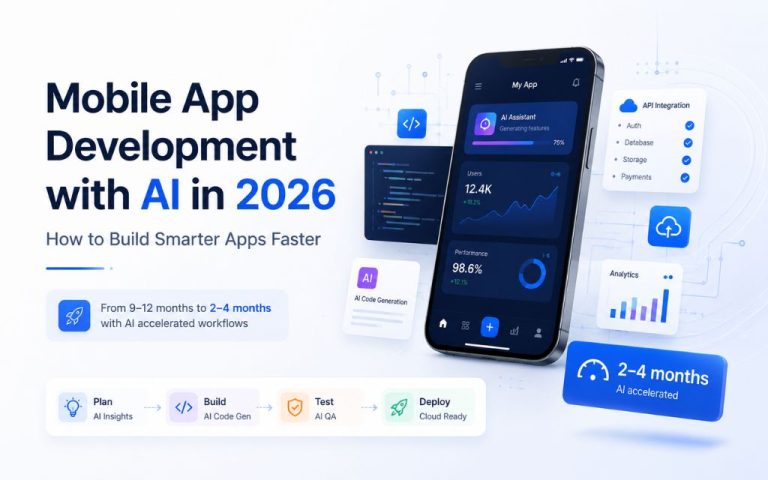





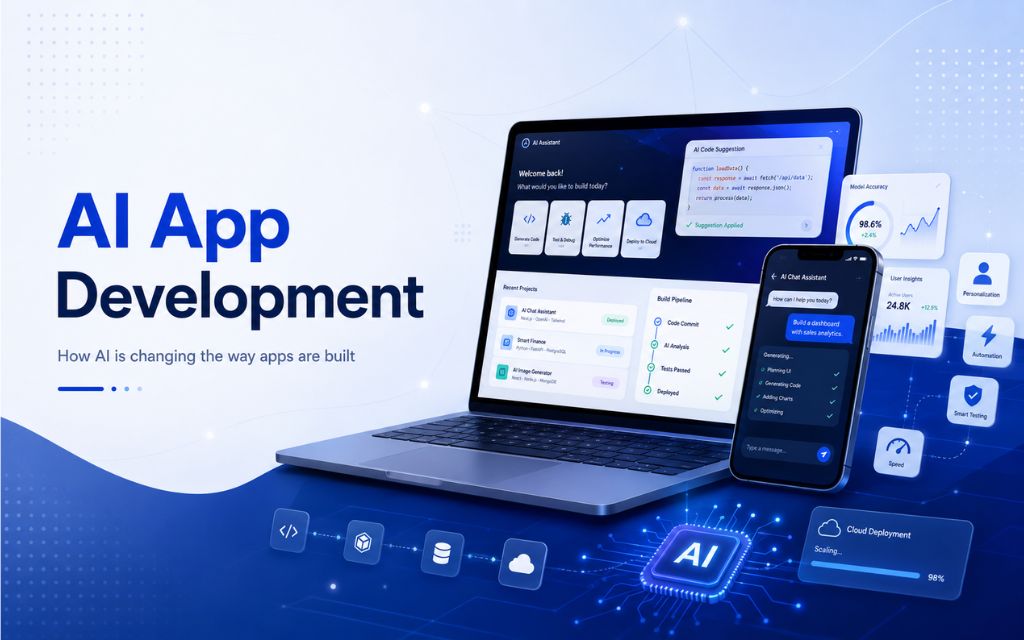
The global market for AI app development has crossed $40 billion and is growing at a CAGR above 18%. More than 90% of developers now use at least one AI tool at work. Apps with AI-driven personalisation generate 2.7× higher engagement than their conventional equivalents.
This guide covers how AI is changing the way apps are built, what it means for businesses evaluating development partners, and how to make smart decisions about which AI capabilities belong in your product.
| 90% of developers regularly use at least one AI tool at work (Hostinger / GitHub, Jan 2026) | 2.7× higher engagement for apps using AI personalisation vs conventional alternatives (SQ Magazine, 2026) | 55% faster coding task completion with AI tools in controlled experiments vs unassisted (Hostinger, 2026) |
1. How AI is changing the way apps are built
Three years ago, “AI in app development” was shorthand for bolting a chatbot widget onto an existing product. In 2026, it means something more fundamental: AI is changing who builds apps, how fast they ship, how much they cost, and what users expect from them once they do.
On the supply side, AI-assisted development tools have compressed the time and cost of writing, testing, and deploying code so significantly that the economics of building custom software have shifted. Startups with budgets under $50,000 can now ship production-grade applications that previously required $200,000 or more in development spend.
On the demand side, users who interact daily with AI-powered products have recalibrated their expectations: apps that do not personalise, predict, or adapt feel noticeably inferior to ones that do.
The practical effect for any business evaluating web or mobile development in 2026 is that the relevant question is no longer “should our app use AI?” It is “which AI capabilities belong in our app, how deeply should they be integrated, and who is best placed to build them?”
| $40B | Global AI app development market size in 2024, growing to an estimated $221.9 billion by 2034 at an 18.6% CAGR. Enterprise GenAI app spending alone grew 94% year-over-year in 2025 to reach $37 billion. Market.us AI App Development Report, 2025 · AppVerticals AI Cloud Cost Analysis, 2026 |
This guide is written for three different readers: startup founders who are deciding whether to build a new AI-native product or add AI to an existing one; enterprise product and IT leaders evaluating whether an agency or internal team is the right fit for their next development cycle; and non-technical business owners who want to understand what AI features are realistic, what they cost, and what they will do for their customers. The sections that follow are written so that all three can take something concrete away.
2. AI-assisted coding: what it means in practice
AI coding assistance has moved well past autocomplete. The tools that experienced development teams use in 2026 — GitHub Copilot, Cursor, Windsurf, and their equivalents — operate at the level of functions, modules, and architectural patterns.
They write boilerplate, generate tests, propose refactors, explain unfamiliar code, and flag potential bugs before a human reviewer sees the file. According to controlled experiment data from GitHub and Hostinger, developers using AI tools complete coding tasks approximately 55% faster than unassisted developers working on equivalent problems.
That figure is meaningful but needs context. The 55% gain applies most reliably to well-defined tasks with clear inputs and outputs: writing a CRUD endpoint, generating a test suite for a function, converting a design mockup to a component.
It shrinks significantly for tasks that require architectural judgment, domain expertise, or understanding of business constraints that are not in the codebase. AI coding tools are force multipliers for experienced developers, not replacements for them.
A team of three senior engineers with AI assistance can move at a pace that previously required a team of six — but the three engineers still need to know what they are building and why.
“C-suite executives report saving an average of $28,249 per developer annually from AI investments, translating to over $750 billion in potential global value when applied across the world’s 27 million developers.”
— GitLab, cited in Hostinger AI App Builder Statistics, 2026
What this means for your development budget
If you are commissioning a web or mobile application in 2026 and your development partner is not using AI coding assistance, you are subsidising slower delivery at above-market rates.
The productivity gains from AI tooling are not optional at the frontier of professional development. A competent agency or engineering team will have integrated these tools into their workflow, and that integration will show in their velocity, their ability to hit scope-controlled milestones, and the volume of tests they ship alongside code.
At the same time, the productivity gains from AI coding tools accrue to the development team during the build. They do not automatically reduce your cost as a client unless the agency explicitly passes them through in lower time estimates.
When evaluating proposals, it is worth asking how AI tooling affects their estimates specifically, and what the measurable effects of those tools have been on past projects.
AI for testing and quality assurance
Beyond coding assistance, AI is producing significant gains in testing. Organisations using AI QA tools report a 62% reduction in defect density, and development teams using AI for app testing and quality assurance reduce time-to-market by approximately 22% (AppVerticals, 2025).
Automated test generation, visual regression testing, and AI-assisted code review have made it practical to ship higher-coverage test suites in less time — which matters for mobile apps especially, where the fragmented device landscape creates a large surface area for regressions.
| 62% | reduction in defect density when using AI QA tools in development workflows. AI-assisted testing reduces time-to-market by approximately 22% compared to conventional QA processes. AppVerticals AI in App Development Statistics, 2025 |
3. No-code and low-code development with AI
No-code and low-code platforms have existed since the early 2010s. What changed in 2024 and 2025 was the addition of generative AI to those platforms, which dramatically expanded both what they can build and who can build with them.
Platforms like Lovable, Bubble, Webflow, and Replit now allow non-technical users to describe a product in natural language and receive a working prototype — and in some cases a production-deployable application — without writing a line of code.
The growth numbers are striking. Lovable reached $400 million in ARR in February 2026 and was valued at $6.6 billion as of its December 2025 Series B. Replit reached approximately $253 million ARR by October 2025, growing 2,352% year-over-year.
The no-code AI platform market is growing from $6.56 billion in 2025 to a projected $75 billion by 2034. According to Gartner, 70% of new enterprise applications will use low-code or no-code tools by 2026, up from less than 25% in 2020.
What no-code AI can and cannot do
No-code AI platforms can produce: landing pages, marketing sites, and content-driven web apps; internal tools, dashboards, and admin panels; simple mobile apps with standard screens (lists, forms, detail views, notifications); e-commerce storefronts and booking systems; and basic AI integrations like chatbots, search, and recommendation modules built on top of foundation model APIs.
They struggle with: complex business logic that requires custom code or proprietary algorithms; deep integrations with legacy enterprise systems; performance-critical applications where bundle size, rendering, and network efficiency matter; regulated environments where auditability and compliance controls on the codebase are required; and applications where the design or interaction quality is itself a competitive differentiator.
No-code platforms can cut development time by up to 90% for the use cases they handle well, and they are entirely the wrong tool for the use cases they handle poorly.
“Citizen developers already outnumber professional software developers four to one. No-code platforms can cut development time by up to 90%, and the no-code AI platform market is growing from $6.56 billion in 2025 to a projected $75 billion by 2034.”
— Hostinger AI App Builder Statistics, 2026
The right way to think about no-code in a development strategy
No-code is most valuable at two points in a product lifecycle: early validation, where you need to test an idea with real users before committing to custom development; and internal tooling, where you need functional applications for internal users who prioritise utility over polish.
For customer-facing products that need to scale, that live in competitive markets, or that require bespoke AI integrations, the combination of no-code speed and professional development quality is usually better achieved by using no-code for prototyping and professional development for production.
4. Adding AI features to mobile apps
Mobile is the most consequential surface for AI features in 2026 because it is where users spend the majority of their time. The average smartphone user spends over two hours per day in apps.
AI features that improve the experience on that surface — personalisation, search, recommendations, predictive UX, voice interfaces — produce measurable lifts in the metrics that govern whether a mobile product survives.
| 2.7× | higher engagement for apps using AI personalisation. Users engaging with AI personalisation convert at 12.3% vs 3.1% for conventional alternatives — a 4× conversion rate advantage. AI health apps with predictive insights tripled their active user base since 2025. SQ Magazine Mobile App Statistics, 2026 · AppVerticals AI in App Development Statistics, 2025 |
The six AI features with the strongest ROI in mobile
Personalisation and recommendation engines are the highest-ROI AI investment for most consumer mobile apps. Businesses that use AI to personalise customer journeys see 33% higher customer lifetime value on average (Optimove, 2024).
Streaming apps with AI-driven content curation report a 21% improvement in watch time per session. AI-powered travel recommendation features increase in-app bookings by 32%.
Intelligent search — replacing keyword matching with semantic search — significantly reduces the fraction of searches that return zero useful results, which is one of the most common causes of user abandonment in content-heavy or e-commerce apps.
Predictive UX uses models trained on behavioural patterns to anticipate what a user wants to do next and surface it before they search for it. This reduces friction at the points in a session where users are most likely to drop off.
AI-powered onboarding and re-engagement uses behavioural data to identify when a new user is at risk of churning before completing activation, or when a returning user is at risk of lapsing, and triggers contextual interventions — an in-app guide, a personalised prompt, a well-timed push — that improve retention at scale.
Voice and NLP interfaces have seen a 19% rise in downloads in 2026 for apps that incorporate them well. The use cases with the highest value are hands-free workflows (navigation, fitness, cooking), accessibility features, and search in contexts where typing is inconvenient.
On-device AI — running model inference locally on the device using frameworks like Core ML (iOS) or TensorFlow Lite (Android) — is growing rapidly because it enables AI features that work without connectivity, reduces latency, and avoids sending sensitive data to a server. 68% of enterprises plan edge AI deployment by 2026 to reduce cloud costs and improve performance (AppVerticals, 2025).
What to measure before and after adding an AI feature
Every AI feature added to a mobile app should have a defined before/after measurement plan. The metrics depend on the feature: for personalisation, measure session length, return visit frequency, and conversion rate against the non-personalised cohort; for intelligent search, measure zero-results rate and search-to-action conversion; for predictive UX, measure drop-off rate at the targeted screen before and after; for AI onboarding, measure Day-1, Day-7, and Day-30 retention against the control.
Without a measurement plan, you cannot distinguish an AI feature that works from one that cost money, added complexity, and made no difference to user behaviour.
5. Cloud-native architecture for AI-powered apps
An AI-powered app is architecturally different from a conventional one in ways that matter from day one. The most significant difference is inference cost: running AI model inference at scale is expensive in compute terms, and that cost scales with usage in ways that can make an apparently profitable product unprofitable as it grows.
AI workloads increase cloud compute costs by 60–70% when reaching scale, which is why 68% of enterprises plan edge AI deployment by 2026 to reduce infrastructure spend while maintaining performance (AppVerticals, 2025).
Cloud-native architecture addresses this by building AI-powered apps as collections of loosely coupled services — each responsible for a specific function, each scalable independently, each deployable and updated without touching the rest of the system.
For AI apps specifically, this means separating inference workloads from application logic, using managed AI services where they are cost-effective and self-hosted models where they are not, and implementing caching and batching strategies that reduce the number of model calls for equivalent user value.
The three infrastructure decisions that determine long-term cost
The first is the choice between managed cloud AI services (AWS Bedrock, Google Vertex AI, Azure OpenAI) and self-hosted open-weight models.
Managed services are faster to start and simpler to operate but cost more at scale. Self-hosted models require more engineering overhead but can reduce inference costs significantly once a product has reached consistent volume.
The right choice depends on your current scale, your data privacy requirements, and how predictable your AI workload is.
The second is where inference runs: cloud, edge, or on-device. Cloud inference gives you access to the most capable models but introduces latency and per-call cost.
Edge inference (on regional compute closer to users) reduces latency and can be more cost-efficient for high-frequency, lower-complexity tasks. On-device inference eliminates both latency and per-call cost for the features it can support, but is constrained by device hardware and model size.
The third is observability: can you see, in production, how much each AI feature costs per user session, and what that cost buys in terms of engagement?
Teams that instrument this from the start can make data-driven decisions about which features to scale, which to retire, and where to invest in model optimisation. Teams that do not instrument it typically discover the cost problem later than they should.
| 78% | of organisations make cloud cost optimisation their top AI priority. 80% of companies exceed AI cost forecasts by 25%+ — infrastructure planning from the start of a project is the single most common factor separating projects that stay on budget from those that do not. AppVerticals AI Cloud Cost Statistics, 2026 |
6. Build vs. buy: choosing the right approach for your product
The build-vs-buy question in web and mobile AI development has more nuance than it did three years ago, because the off-the-shelf options have become genuinely capable at a wider range of tasks. The right framework is not “build vs. buy” but “where in your product stack does custom work create differentiation that a packaged solution cannot replicate?”
| Dimension | Off-the-shelf / no-code | Custom build (AI-assisted) | Custom build (AI-native) |
| Time to first value | Days to weeks | 8–20 weeks (MVP) | 4–9 months |
| Upfront cost | Low – subscription or per-seat | $40K–$150K for MVP | $150K–$500K+ |
| Ongoing cost | Vendor-controlled; scales with users | API + infra; manageable at scale | Infrastructure + maintenance; 10–15% of build annually |
| Design quality | Template-constrained | Fully bespoke | Fully bespoke |
| AI depth | Surface-level integrations | API-integrated AI features | AI woven into core product logic |
| Data privacy | Vendor holds data; review DPA | Depends on model API choices | Full control; self-hosted if required |
| Competitive moat | None; competitors use same tools | Moderate; UX and business logic differentiation | High; AI model and data are proprietary assets |
| Right for | Internal tools; validation; constrained budgets | Most product launches; AI feature additions | AI-core products; regulated environments; unique data |
The most common mistake is applying an off-the-shelf solution to a use case that is actually a source of competitive advantage. The second most common mistake is commissioning a fully custom AI-native build for a use case that a well-configured SaaS product would have served at one-fifth of the cost and in one-third of the time. A good development partner will tell you which situation you are in before you commit budget, not after.
7. The development process, phase by phase
A well-run web or mobile AI development project follows a sequence of phases. Each phase has a defined output that the next phase depends on. The most common failure mode is skipping or compressing phases under time pressure, which typically produces a larger, more expensive failure later.
PHASE 01 Discovery & Scope Definition — Clarify what the product does, who uses it, what success looks like, and which AI capabilities are core vs. enhancement. Define measurable acceptance criteria before any design or code.
PHASE 02 Architecture & Technology Decisions — Choose the platform (web, iOS, Android, cross-platform), the AI integration approach, the infrastructure model, and the third-party services. Document the trade-offs made and why.
PHASE 03 Prototype / Proof of Concept — Build the smallest thing that validates the hardest assumption. For AI features, the hardest assumption is usually whether the model produces outputs of sufficient quality for the use case in production conditions.
PHASE 04 Design & UX — Translate requirements into screens, flows, and interaction patterns. For AI features, this phase must address how the system communicates uncertainty, handles errors, and gives users appropriate control.
PHASE 05 Development & Integration — Build the application layer, integrate APIs and AI services, write tests. AI coding assistance compresses this phase; the discipline of shipping tests alongside code matters as much here as ever.
PHASE 06 QA, Performance & Security — Test across devices, browsers, and network conditions. Validate AI feature outputs against the benchmark dataset established in Phase 03. Conduct a security review including input validation and prompt injection testing for any AI interfaces.
PHASE 07 Launch & Post-launch Measurement — Ship with monitoring and analytics in place. Establish the before/after measurement plan for each AI feature before launch, not after. Plan the first iteration based on real user data within 30 days.
For most web or mobile AI projects, an MVP takes 12–20 weeks from kickoff to production launch. Projects that skip Phase 03 (proof of concept for AI features) or compress Phase 06 (QA and security) account for a disproportionate share of post-launch failures and emergency fixes.
8. What to look for in a web and mobile AI development partner
The market for web and mobile app development agencies has not consolidated around AI competence yet. Some agencies have genuinely integrated AI into their development workflow, their QA process, and their product thinking — and some agencies have updated their website to mention AI while continuing to work the same way they did in 2020. The questions below are designed to surface which kind you are talking to.
Questions that reveal real capability
Ask to see an AI feature they have shipped in a production app, with the metrics that demonstrate it worked. “We integrated ChatGPT into a client’s customer support flow” is not enough; “we reduced tier-one support escalations by 34% in 90 days post-launch” tells you something real.
Ask how they handle AI feature evaluation before shipping. A team that has thought about this will describe a benchmark dataset, specific quality metrics, and a process for deciding when a feature is production-ready. A team that has not will describe the demo.
Ask how their AI coding tools affect their estimate for your project specifically. If they cannot answer this question with a number or a range, they are not actually integrating AI into their workflow in a way that benefits you.
Ask what they would not build for you. A serious partner will identify use cases where a no-code platform or an off-the-shelf tool would serve you better than custom development. A partner that agrees to build everything you describe without pushback is optimising for the engagement, not for your outcome.
Red flags worth naming
Proposals that skip a proof-of-concept phase for AI features, fixed-price contracts for AI work where the output quality is not yet validated, teams that cannot articulate the failure modes of their AI implementations, and agencies that use “AI-powered” as a marketing term without being able to describe the specific models and integration patterns behind it — all of these are signals worth taking seriously before committing a development budget.
| 4× | higher conversion rate for AI-powered apps vs traditional alternatives. AI-driven apps consistently outperform conventional ones on subscription retention, session length, and repeat purchase rate — but only when the AI features are genuinely integrated into the product experience, not added as visible overlays. AppVerticals AI in App Development Statistics, 2025 |
9. Frequently asked questions
A lightweight AI MVP typically falls between $40,000 and $80,000. A mid-market product with RAG-based features or multiple AI integrations runs $100,000 to $250,000. Enterprise-grade systems with custom AI models, private infrastructure, and compliance requirements regularly exceed $500,000. Annual maintenance typically costs 10–15% of the original build. India-based development teams typically charge $15–$25 per hour vs $100–$250 per hour for US-based teams, which significantly affects total project cost for equivalent scope.
A well-scoped MVP takes 12–20 weeks from kickoff to production launch. A proof of concept validating the core AI assumption can be delivered in 4–8 weeks. Full-featured products with multiple AI integrations, bespoke design, and enterprise compliance typically take 5–9 months. Projects that cut the proof-of-concept phase consistently take longer overall, because they discover fundamental problems later in the process when changes are more expensive.
Personalisation and recommendation engines consistently deliver the highest measured ROI for consumer mobile apps. Businesses using AI personalisation see 33% higher customer lifetime value on average, and AI-personalised apps convert at 12.3% vs 3.1% for conventional alternatives. Intelligent search, predictive UX, and AI-powered onboarding flows are the next highest-impact features for most categories. On-device AI for hands-free or offline use cases delivers strong retention gains in fitness, navigation, and productivity apps specifically.
No-code platforms are the right choice for internal tools, early-stage validation, and products with standard feature sets that do not require bespoke design or complex business logic. Custom development is the right choice for customer-facing products in competitive markets, applications with complex integrations or compliance requirements, and products where the design, performance, or AI depth is itself a differentiator. Most serious products start with no-code prototyping and move to custom development for production when they have validated the core assumption with real users.
AI-assisted development means a professional development team uses AI tools (Copilot, Cursor, AI testing frameworks) to write and ship code faster. The app may or may not have AI features for users. AI-native development means the app itself is built around AI capabilities — the core product experience depends on AI model outputs, not just the development process. Both are legitimate approaches; they solve different problems. AI-assisted development improves delivery speed and quality for any product. AI-native development is appropriate when the value proposition of the product is inseparable from AI capabilities.
Define measurable success criteria before building, not after shipping. For each AI feature, establish: the metric it is intended to improve, a baseline measurement before the feature goes live, and a target value and timeframe. Run the feature against a control cohort if possible. Review the data at 30 days post-launch and set a threshold below which the feature is revised or removed. AI features that cannot be measured are almost always AI features that are not contributing to business outcomes.
This depends on the architecture. Apps that send user data to third-party model APIs (OpenAI, Anthropic, Google) need to review the provider’s data processing agreements, understand what data is retained, and disclose this to users in their privacy policy. Apps using on-device AI avoid sending personal data to any server. Enterprise apps with strict data residency requirements can use self-hosted open-weight models (Llama, Mistral) running on private cloud infrastructure. For healthcare, finance, and legal applications, the compliance framework governing your data should drive the architecture choice, not the other way around.