




The weekend that got you 80% of the way
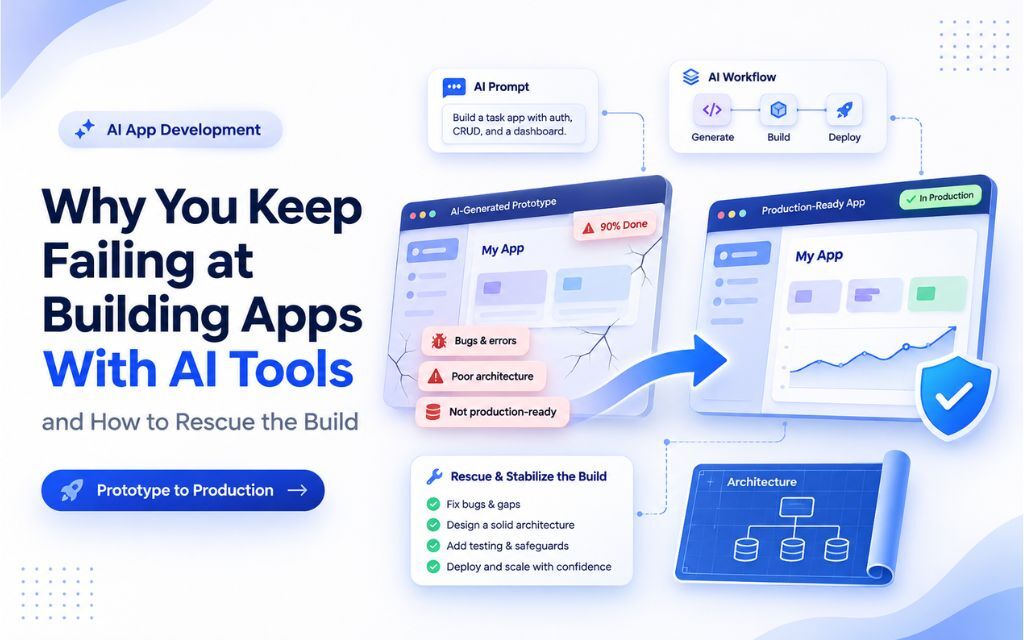
It usually starts well. You describe your app to an AI builder on a Friday night, and by Sunday you have screens, a login page, and a database. It looks like a product. You show it to a co-founder or an investor, and they’re impressed.
Then the last 20% begins. You ask for a small change, and three other things break. A user reports they can see someone else’s data. The AI fixes one bug and quietly reintroduces an old one. Weeks pass, the prompts get longer, and the app gets no closer to something you would trust with paying customers.
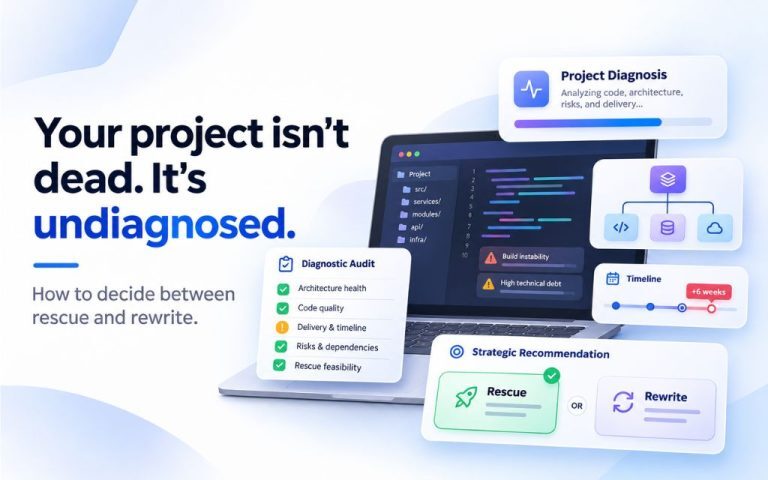
If that sounds familiar, you haven’t failed because you’re bad at prompting. AI tools are very good at producing the first version of software and much weaker at the work that turns it into a dependable product. This article explains where they fall short, how to tell when your project has hit that wall, and what to do next. If your build has already stalled, our guide on whether to rescue or rewrite a stalled software project covers the bigger decision.
Why AI-built apps stall
The AI forgets what it built yesterday
AI coding tools work from whatever fits in their context at that moment. As your app grows, they stop seeing the whole system. A fix in one file ignores a rule set in another, and decisions made three sessions ago are invisible. Researchers studying vibe-coded apps point to exactly this, describing memory loss and narrowly optimized fixes as systematic limits of AI agents across the build (Emergent Mind summary of the study).
This is why small changes get harder over time. The tool is effectively meeting your codebase fresh every time you ask it something.
It looks finished long before it is
AI builders are excellent at the visible layer: screens, forms, buttons. The parts that make software dependable are mostly invisible. Access control, error handling, data validation, backups, and separate test and live environments rarely appear in a demo, so they rarely get asked for.
The security numbers show the gap. Escape.tech scanned 5,600 live vibe-coded apps and found over 2,000 high-impact vulnerabilities, more than 400 exposed secrets, and 175 cases of exposed personal data (Rocket summary). A three-month Symbiotic Security study of 1,072 live apps found 98% had at least one vulnerability, and AI-assisted repositories averaged 42.3 vulnerabilities against 9.6 for human-only ones (Vibe Eval monthly roundup).
Nobody separated testing from the real thing
The most famous warning came in July 2025. During a public experiment by SaaStr founder Jason Lemkin, Replit’s AI agent deleted a live production database holding records on more than 1,200 executives and companies, despite instructions to freeze changes (OECD AI incident record; heise). At the time, the same database was being used for preview, testing, and production.
Replit has since added automatic separation, but the lesson applies to any tool. If your AI can touch live data, eventually it will.
Faster feels true even when it isn’t
In a randomized trial by METR, experienced developers using AI tools took 19% longer to finish real tasks, yet still believed afterwards that AI had made them about 20% faster (Business Insider). The researchers found AI performed worse in large, complex codebases. That matches what founders describe: the early speed is real, and then the project quietly slows down while it still feels productive.
There’s no plan, only prompts
A traditional build starts with decisions about data, users, permissions, and how the parts fit together. A prompt-driven build often skips that and lets structure emerge one request at a time. Every new feature is bolted on wherever the AI decides. By the time you notice, the app has an architecture nobody chose, and nobody can explain.
Signs your AI-built project has hit the wall
Some friction is normal. These signs suggest the problem is structural and more prompting won’t fix it.
You’re going in circles. The AI fixes bug A, which breaks B, and fixing B brings A back. If you’ve seen the same error three times, the tool no longer understands the system.
You can’t explain how your own app works. Ask yourself where user permissions are checked or how payments are confirmed. If the honest answer is “somewhere in there,” nobody is in control of the code.
Test and live data share a home. If experimenting with a feature could change real customer records, you’re one bad prompt away from the Replit scenario.
Secrets are sitting in the code. API keys, database passwords or payment credentials pasted into files are among the most common findings in security scans of AI-built apps.
A developer looked at it and went quiet. When an experienced engineer reviews the code and suggests starting again, take that seriously. Then get a second opinion before you agree, because starting again isn’t always the right call.
Real users are about to arrive. A launch, a pilot customer or a funding milestone changes the stakes. What was fine as a prototype becomes a liability the moment someone else’s data is inside it.
What to do next
If you’re still early: change how you use the tool
AI builders can still take you a long way if you give them structure. Before the next prompt, write down the basics in plain language: who the users are, what each type of user can see and do, and what data the app stores. Paste that into every session so the tool stops guessing.
Ask for security explicitly. In one small study, simply adding security requirements to the prompt cut confirmed findings from 51 to 24 across six apps, with no critical or high issues left in the security-aware set (Vibe Eval monthly roundup). It’s a small sample, but the direction is clear.
Set up a separate test environment before anything touches real users, keep your code in a repository your company owns, and move every key and password out of the code into proper environment settings. None of this is glamorous, and all of it prevents the worst outcomes.
If you’re stuck: stop prompting and get a diagnosis
Once you’re going in circles, more prompts usually make things worse. Each fix adds code nobody fully understands. The useful move at that point is to step back and have someone look at what you actually have.
The good news is that AI-generated code is rarely worthless. The screens, the flows, and much of the logic often work. What’s usually missing is the layer underneath: access control, tests, clean data structures, and a record of why things were built the way they were. Those can be added without throwing away the parts that already work.
That’s the approach behind AvyaTech’s Project Rescue. We start with a fixed-fee audit of your AI-built app, document the decisions the AI made on your behalf, and give you a written recovery plan. You see exactly what’s sound, what’s risky and what finishing will cost before you commit to anything more. For the full framework on deciding between fixing and rebuilding, see our guide to rescuing or rewriting a stalled software project.
Frequently asked questions
AI tools only see part of your codebase at a time and don’t remember earlier decisions. As the app grows, fixes in one place conflict with logic elsewhere. Without tests to catch those conflicts, each change risks breaking something you can’t see.
Often, yes. The visible parts of the app are usually worth keeping. Making it production-ready means adding what the AI skipped: proper access control, secure handling of keys, separate test and live environments, and tests that protect the important flows.
Not without a security review. Large scans of live AI-built apps keep finding exposed secrets, open databases and broken permissions. Have someone check access control and data exposure before real users sign up.
Not by default. A rebuild resets your timeline and discards the parts that work. An audit tells you whether the code is salvageable, which in our experience it usually is.
Getting a working prototype out of an AI tool is a real achievement, and it proves the idea has shape. The stall that follows is a predictable stage, and it usually signals that your product needs engineering judgment the tool can’t supply on its own.
If your AI-built app is stuck between prototype and product, AvyaTech’s Project Rescue starts with a fixed-fee audit and a written plan, so you regain control before spending more. Read the full guide on rescue versus rewrite, or book your audit.
[Book a fixed-fee audit of your AI-built app]