

WordPress

How to WordPress Import/Export Featured Images With Post

Chandan Kumar
By Chandan Kumar
October 16, 2017
2 min read
Share The Blog:

Do you ever notice that when you use the import-export tool in WordPress to migrate data from one platform to another, the featured images not be included in the data? If you have a small site and blog then, of course, you can re-upload the featured images but don’t you think that it quite be waste of time to separately re-upload features image while you import/ export the entire data.

Well, this post will give you the solution about how to include featured image while you import/export data between two WordPress sites. Let’s get started to read out the steps that how to WordPress Import/Export Featured Images with post.

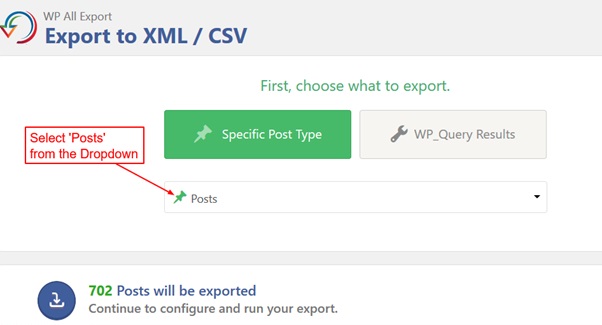
1. Export All Blogs from Tools > Export option.
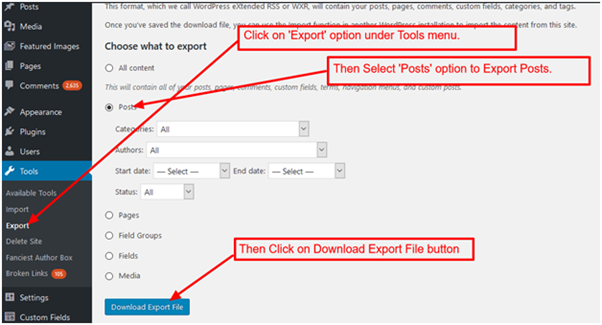
featured image wordpress
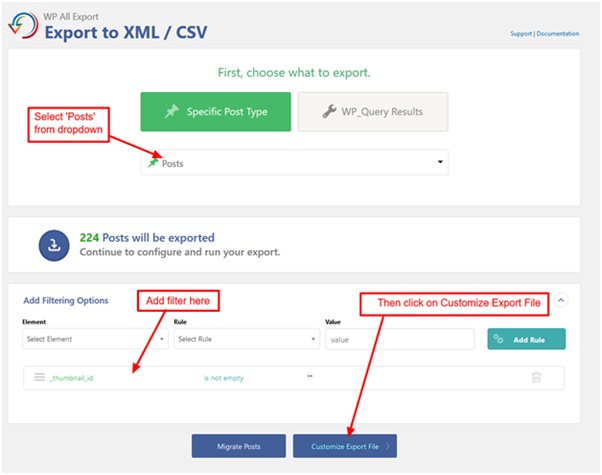
featured image wordpress 2

3. Add filter rule

featured image wordpress 3

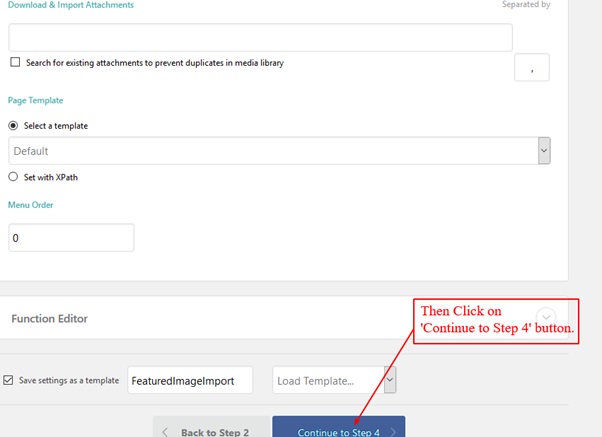
4. Select ID, title and click on ‘Add Field’ button. Then Add function code.
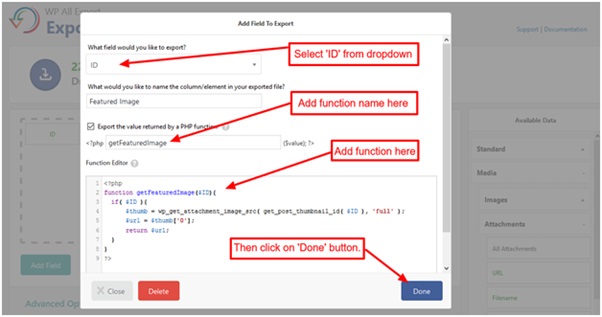
featured image wordpress 4

5. Select xls from ‘Export type’ dropdown then click on ‘Continue’ button.

6. Click to Run Export.
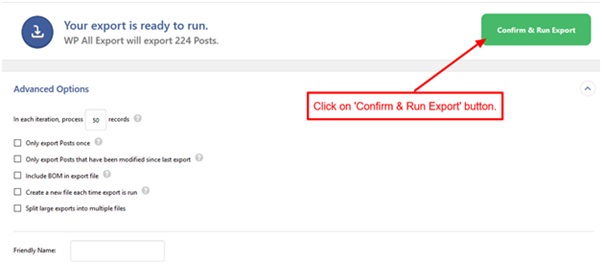
featured image wordpress 5

Import Posts:-

Step 1: Import posts from Tools > Import menu.
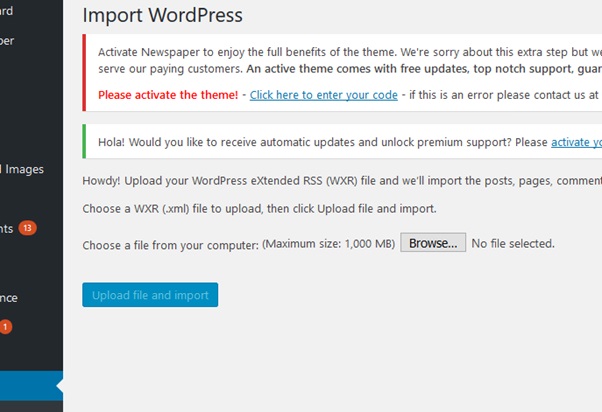
featured image wordpress 6

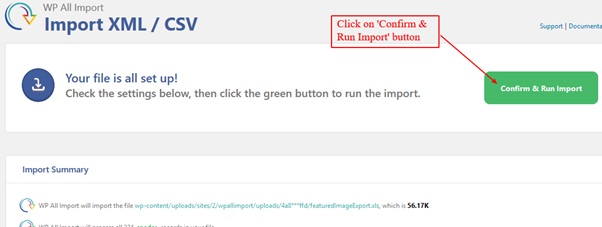
Step 2: Import Featured images of the post by using ‘WP All Import’ plugin.

Click on New Import.
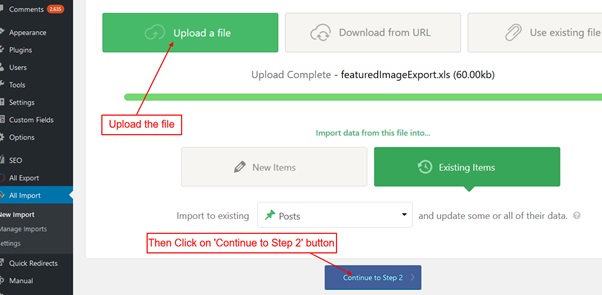
featured image wordpress 7

Step 3:- Click on ‘Continue to Step 3’.
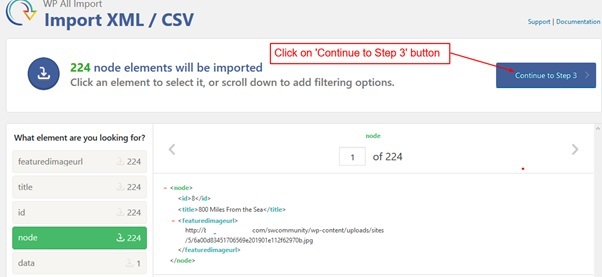
Step 4:-
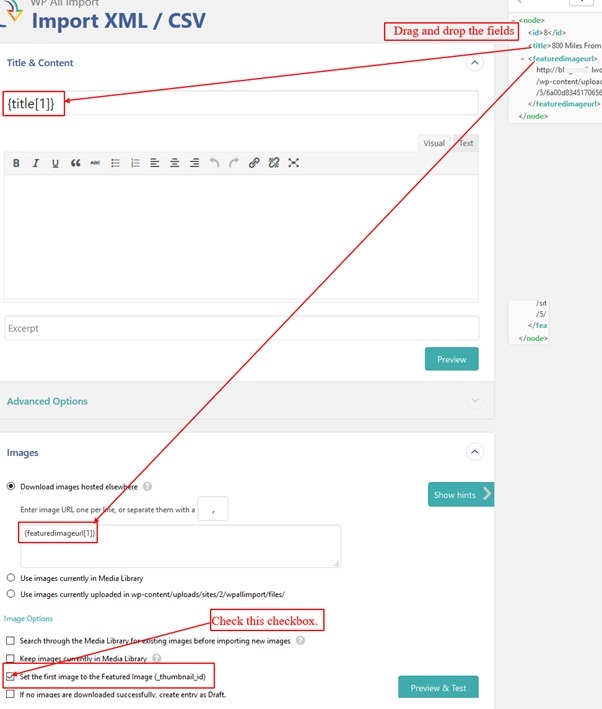
featured image wordpress 9.1

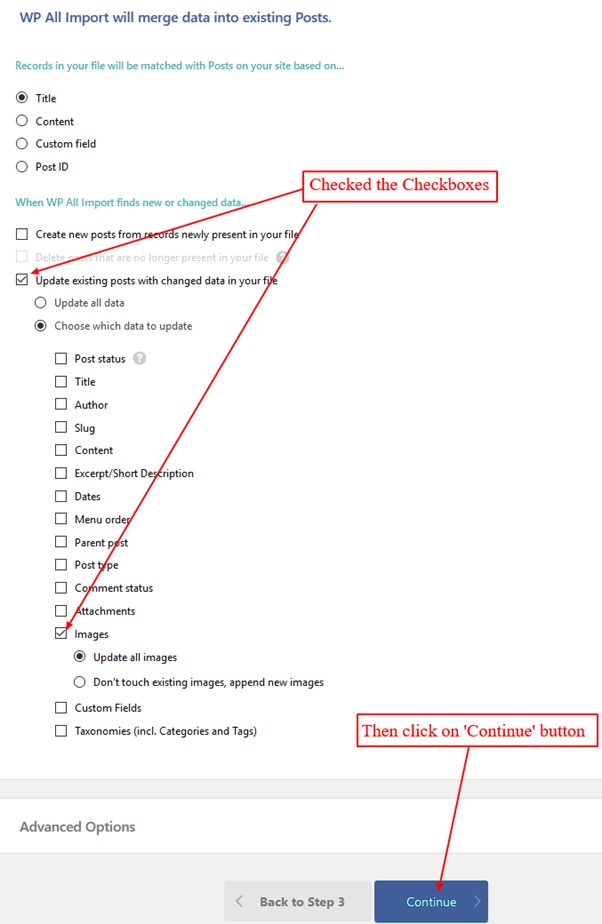
Step 5:-

featured image wordpress 10

Step 6:-

featured image wordpress 11
WordPress-CTA-Banner-Image
Chandan Kumar

Chandan Kumar

Chandan Kumar doesn't just write code; he builds digital legacies. As the Founder and Team Lead at AvyaTech, Chandan combines high-level strategy with granular technical expertise to turn "what if" into "it's live." When he’s not steering his team through complex development sprints, he’s busy architecting the future of scalable, user-first technology.

Related Articles

Continue reading with these hand-picked articles on similar topics.

WordPress Plugin Developers for Hire in 2026: A Complete Vetting Guide
WordPress
WordPress Plugin Developers for Hire in 2026: A Complete Vetting Guide
Hiring a WordPress plugin developer sounds simple enough — until you’re three weeks in, the plugin breaks on a routine core update, and the developer has stopped responding. It happens more than it should. This guide gives you a practical framework for finding, screening, and hiring WordPress plugin developers in 2026 — whether you need […]
Chandan Kumar July 9, 2026
Hire a WordPress Theme Developer in 2026: Costs, Skills & What to Expect
WordPress
Hire a WordPress Theme Developer in 2026: Costs, Skills & What to Expect
Finding a good WordPress theme developer sounds simple until you actually start looking. Rates vary wildly, skill levels are hard to verify from a portfolio alone, and the gap between someone who customizes a pre-built theme and someone who builds from scratch is significant — in both cost and outcome. This guide covers what you […]
Chandan Kumar July 8, 2026
How to Build a Headless Website Using WordPress as a CMS?
WordPress
How to Build a Headless Website Using WordPress as a CMS?
The basic structure of WordPress is simple: a request is processed by PHP, which queries the MySQL database for content and uses a theme to render the final HTML. That pipeline connects the CMS and the frontend, which works fine until you need to serve content on more than one channel, reach a performance limit, […]
Chandan Kumar April 2, 2026