




Finding a good WordPress theme developer sounds simple until you actually start looking. Rates vary wildly, skill levels are hard to verify from a portfolio alone, and the gap between someone who customizes a pre-built theme and someone who builds from scratch is significant — in both cost and outcome.
This guide covers what you should actually pay in 2026, what skills matter, where to find candidates, and how to avoid the most common hiring mistakes.
What a WordPress Theme Developer Actually Does
Before you post a job or send a brief, get specific about what you need. “WordPress theme developer” covers a wide range of work.
At the simpler end, you have someone who takes a premium theme like Divi or Astra and customizes it with CSS, page builder blocks, and plugin configurations. At the more complex end, you have a developer who builds a custom theme from scratch using PHP, the WordPress template hierarchy, and modern JavaScript — no page builder in sight.
Most projects fall somewhere in between. Knowing which category you need determines your budget, your timeline, and the right hiring channel.
Core skills to look for
A qualified WordPress theme developer should be comfortable with:
- PHP — WordPress core is PHP. Theme files, template tags, hooks, and filters all require real PHP knowledge.
- HTML and CSS — Clean, semantic markup and responsive styling are non-negotiable.
- JavaScript and jQuery — For interactive elements, dynamic content loading, and modern front-end behavior.
- WordPress template hierarchy — Understanding how WordPress selects which template file to render is fundamental to custom theme work.
- ACF or custom fields — Advanced Custom Fields is the standard for building flexible, editor-friendly page structures.
- Performance and Core Web Vitals — A theme that looks good but scores poorly on PageSpeed hurts your SEO and user experience. Your developer should understand image optimization, lazy loading, and render-blocking resources.
- WooCommerce compatibility — If you sell anything, the developer needs to know how WooCommerce templates work.
- Git and version control — Any professional developer should use Git. If they don’t, that’s a red flag.
Worth asking about as well: REST API familiarity, block editor (Gutenberg) development, and experience with headless WordPress if you’re considering a decoupled architecture.
WordPress Theme Developer Rates in 2026
Rates depend on location, experience level, and engagement type. Here’s a realistic breakdown.
Freelance hourly rates
| Experience Level | US / Canada / Australia | Eastern Europe | South / Southeast Asia |
| Junior (0–2 years) | $40–$65/hr | $20–$35/hr | $10–$20/hr |
| Mid-level (3–5 years) | $65–$100/hr | $35–$60/hr | $20–$40/hr |
| Senior (6+ years) | $100–$175/hr | $60–$100/hr | $40–$70/hr |
Project-based pricing
For a custom WordPress theme built from scratch, expect to pay:
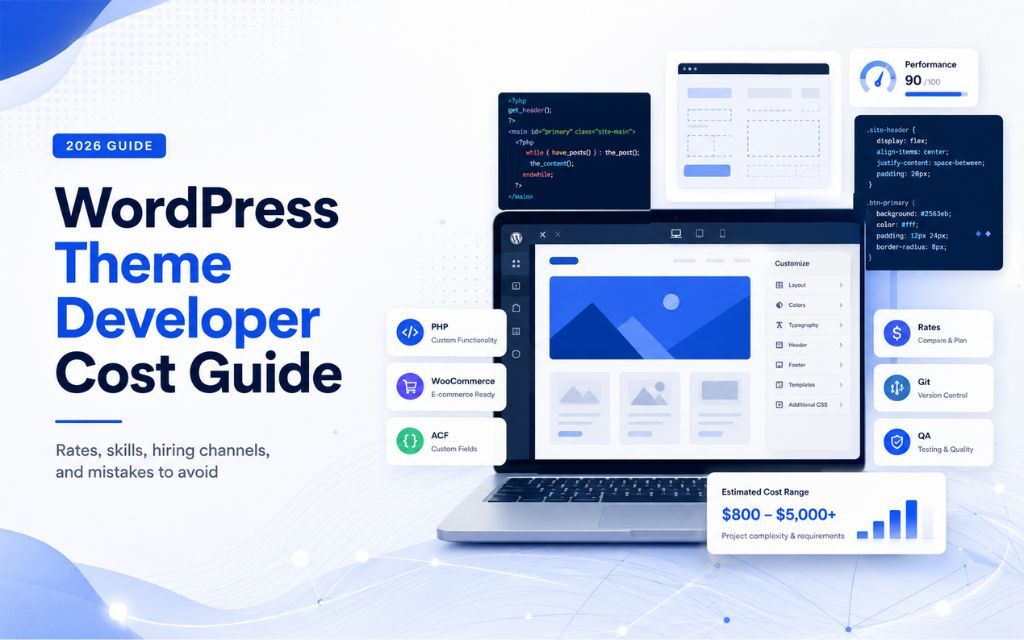
- Simple custom theme (blog, brochure site, minimal functionality): $3,000–$8,000
- Mid-complexity theme (custom post types, ACF fields, WooCommerce integration, multiple templates): $8,000–$20,000
- Complex theme (custom Gutenberg blocks, REST API integrations, advanced filtering, performance-optimized): $20,000–$50,000+
Premium theme customization runs cheaper — typically $500 to $3,000 depending on the scope of changes.
Agency rates
Agencies charge more than individual freelancers, but you get a team: a developer, a QA engineer, and usually a project manager. Agency rates for WordPress work typically range from $75 to $200 per hour in the US and UK. A full custom theme engagement through an agency might run $15,000 to $60,000 depending on complexity.
Where to Hire a WordPress Theme Developer
Freelance platforms
Upwork is the most common starting point. The talent pool is large, reviews are visible, and the escrow system protects both sides. The downside is volume — a well-written job post can attract hundreds of applications, and vetting takes real time.
Toptal positions itself as the top 3% of freelancers. Rates are higher, but the pre-vetting cuts your screening time considerably.
Codeable is WordPress-specific. Every developer on the platform has passed a WordPress-focused technical review. If you want to skip generic freelance marketplaces, it’s worth the premium.
Specialist agencies
If your project is complex or you don’t have bandwidth to manage a freelancer directly, a specialist agency makes sense. You trade a higher per-hour rate for reduced management overhead and a built-in QA process.
For teams that need more than a WordPress theme — say, a custom web application with AI integrations, cloud infrastructure, or mobile components — AvyaTech handles the full development lifecycle from discovery through deployment, including web development, UI/UX design, and QA.
LinkedIn and direct outreach
LinkedIn works well for finding senior developers who aren’t actively job-hunting on Upwork. Search “WordPress developer” filtered by location and connection level. A direct message with a clear project brief gets better responses than generic outreach.
WordPress-specific communities
The official WordPress.org forums, Slack communities like Post Status, and local WordPress Meetup groups are underused hiring channels. Developers in these spaces tend to be genuinely invested in the platform — not just passing through.
How to Vet a WordPress Theme Developer
A portfolio is necessary but not sufficient. Here’s what to actually check.
Review the code, not just the design
Ask for a GitHub link or a code sample. Look for clean, commented PHP, proper use of WordPress hooks and filters, and no inline styles scattered through template files. If they can’t share code, that’s worth noting.
Test the live sites they’ve built
Run their portfolio sites through PageSpeed Insights. A developer who ships slow sites isn’t doing the full job. Core Web Vitals scores are public and objective — use them.
Ask about updates and maintenance
WordPress core, themes, and plugins update constantly. A developer who builds and disappears leaves you with a site that becomes a security liability within months. Ask how they handle ongoing maintenance and whether they use staging environments.
Check for block editor experience
The WordPress block editor (Gutenberg) is the present and future of WordPress content management. A developer who only works with classic themes or page builders like Elementor is limiting your options. Ask whether they can build custom blocks using React and the @wordpress/blocks package.
Ask about their testing process
Do they test across browsers and do they use a staging environment before pushing to production? Do they test on mobile? These aren’t trick questions — they’re basic professional standards. Vague answers are a signal to keep looking.
Fixed Price vs. Hourly: Which Model Works Better?
For a well-defined project — a custom theme with a clear design file and a documented list of templates — fixed price works well. You know the cost upfront, scope creep is easier to manage, and there’s no incentive to drag out hours.
For ongoing work, iterative builds, or projects where requirements are likely to shift, hourly or a retainer gives you more flexibility.
A third option worth knowing: a dedicated developer arrangement, where you engage someone full-time or part-time on a monthly basis. This suits teams with a continuous stream of WordPress work but no appetite for a full-time hire.
Common Mistakes When Hiring a WordPress Theme Developer
Hiring based on design taste alone. A beautiful portfolio doesn’t mean clean code. Always look at the technical side.
Skipping a discovery phase. The clearer your brief, the more accurate the quote. “Build me a website” produces wildly different estimates from five different developers. A proper brief includes wireframes or a design file, a list of required templates, plugin dependencies, and performance targets.
Ignoring time zone overlap. A 12-hour gap means one round of feedback per day. On a fast-moving project, that adds weeks to your timeline.
Not asking about IP ownership. Make sure your contract specifies that you own the final theme code. Some freelancers retain licensing rights to custom components by default.
Underestimating QA time. Cross-browser testing, mobile testing, and accessibility checks take real time. Budget for it, or you’ll launch with bugs.
What to Expect From the Development Process
A typical custom WordPress theme project moves through these stages:
- Discovery and brief (1–2 weeks) — Requirements gathering, content audit, technical specifications.
- Design (2–4 weeks) — Wireframes, then high-fidelity mockups in Figma or a similar tool.
- Development (4–8 weeks) — Theme build, template development, plugin integration.
- QA and testing (1–2 weeks) — Cross-browser testing, performance optimization, accessibility review.
- Launch and handover (1 week) — Deployment, DNS configuration, documentation, training.
Total: 8–17 weeks for a mid-complexity custom theme. Simpler projects move faster. More complex ones take longer.
When a Custom Theme Isn’t the Right Answer
Sometimes you don’t need a custom theme at all. If your site is primarily content-driven and doesn’t require unique functionality, a well-configured premium theme with light customization will get you there faster and cheaper.
Custom theme development makes sense when:
- Your brand requires a design that no existing theme can match
- You need custom post types, complex queries, or non-standard data structures
- Performance is a priority and existing themes carry too much bloat
- You’re building a product — a SaaS front-end, a marketplace, a membership platform — rather than a marketing site
That last category especially tends to be the starting point for a broader web application. If your WordPress project is part of a larger product build, it’s worth talking to a team that can handle the full stack.
FAQs
Rates range from $10 to $175 per hour, depending on location and experience. A custom theme project typically costs between $3,000 and $50,000, depending on complexity. Premium theme customization is cheaper — usually $500 to $3,000.
A WordPress theme developer focuses on the front-end layer: templates, styling, and the visual structure of the site. A WordPress developer may also work on plugins, custom functionality, REST APIs, and back-end logic. Many developers do both, but it’s worth clarifying scope before you hire.
A simple custom theme takes 4–8 weeks. A mid-complexity theme with custom post types, WooCommerce integration, and multiple templates typically takes 8–14 weeks. Complex builds with custom Gutenberg blocks and API integrations can run 16 weeks or more.
Freelancers are cost-effective for well-defined, single-developer projects. Agencies make more sense for complex builds, tight deadlines, or projects that need design, development, and QA handled together. The right answer depends on your project scope and how much management bandwidth you have.
Look beyond visual design. Check PageSpeed scores on their live sites, ask for code samples, and verify that their work uses the WordPress template hierarchy correctly. Ask about their testing process and whether they have block editor experience.
Some can, but most WordPress theme developers specialize in front-end work. If you need AI chatbots, recommendation engines, or generative content features integrated into your WordPress site, you’ll likely need a broader team with back-end and AI integration experience.
Ask about their experience with Gutenberg block development, how they handle staging and deployment, whether they use version control, what their QA process looks like, and how they manage ongoing maintenance. Confirm IP ownership terms before signing anything.