





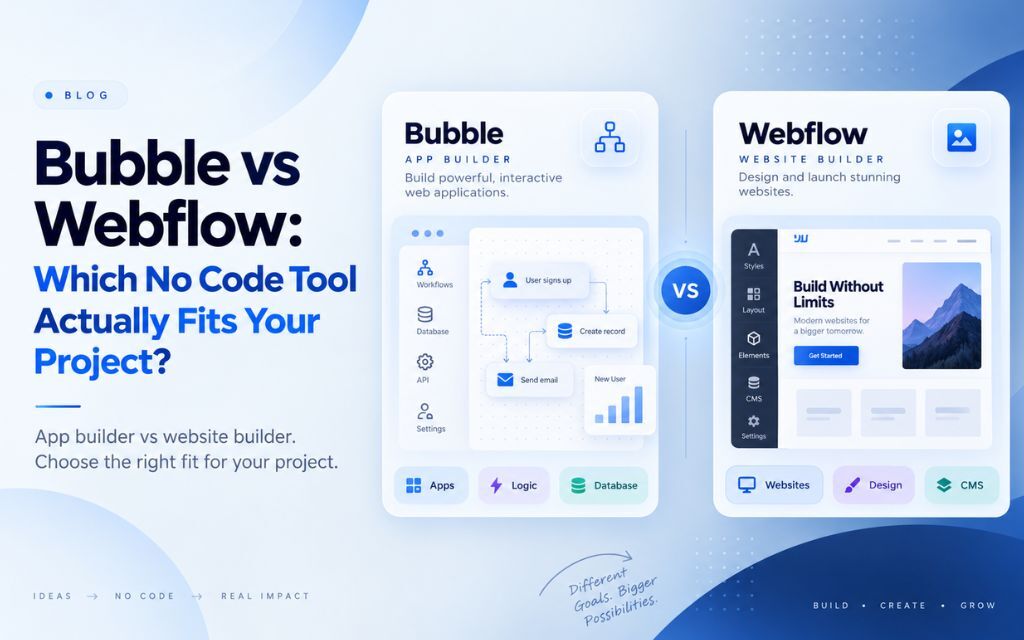
Bubble is built for interactive web applications with real logic, like marketplaces, dashboards, and MVPs with user accounts and databases. Webflow is built for custom-designed websites, like marketing sites, portfolios, and content-driven pages. They solve different problems, so the right choice depends on whether you’re building an app or a website.
This is one of the most common comparisons people search for when picking a no-code tool, and it’s also one of the most misleading ones to answer with a simple “this one’s better.” Bubble and Webflow aren’t really competing for the same project. Here’s how to tell which one actually fits what you’re building.
The Short Answer: They’re Not Solving the Same Problem
Bubble is a no-code application builder, while Webflow is a no-code website builder, which means comparing them directly only makes sense once you know whether your project is an app or a site. Treating this as a straightforward feature-for-feature comparison misses the point. It’s closer to comparing a website builder to a database, because that’s roughly the difference in what each tool is actually designed to do.
That said, there’s real overlap in projects that sit in between: a marketing site with a login area, a content platform with some interactivity, a simple internal tool. Those are the cases where the choice genuinely matters, and where most of the confusion in this comparison comes from.
What Bubble Is Built For
Bubble is designed for building interactive, database-driven web applications without writing code, including features like user accounts, real-time data, conditional logic, and API integrations. Its visual workflow editor lets you define what happens when a user takes an action, using conditional rules that can express genuinely complex logic: multi-step approval flows, dynamic pricing, role-based permissions, and more.
This makes Bubble a strong fit for MVPs, internal tools, marketplaces, booking platforms, and SaaS-style dashboards where the core value of the product is what it does, not just how it looks. The tradeoff is that Bubble’s visual design tools are functional but not as polished as a dedicated website builder, and very complex apps can become difficult to navigate and debug as the number of interconnected workflows grows.
What Webflow Is Built For
Webflow is designed for building custom-designed, professional websites with full visual control over layout, typography, and responsive design, producing clean semantic code without requiring app-level logic. It’s built around the same fundamental concepts as hand-coded web design (the box model, responsive breakpoints, flexbox and grid) but lets you manipulate them visually instead of writing CSS.
This makes Webflow a strong fit for marketing sites, portfolios, agency websites, and content-driven businesses that need a polished, custom look without off-the-shelf template constraints. It includes a built-in CMS for managing dynamic content like blog posts or case studies, but its support for user accounts, complex data relationships, and app-style logic is limited compared to a dedicated app builder.
Bubble vs Webflow: Head-to-Head Comparison
| Factor | Bubble | Webflow |
| Primary use case | Interactive web applications | Custom-designed websites |
| Best for | MVPs, marketplaces, dashboards, internal tools | Marketing sites, portfolios, content-driven businesses |
| Visual design control | Functional, but not design-first | Strong, pixel-level visual control |
| Handling complex logic | Strong (conditionals, workflows, API calls) | Limited (light interactions only) |
| Database and user accounts | Native, built for this | Limited, requires third-party tools |
| Code output quality | Not applicable (hosted app, not exported code) | Clean, semantic HTML/CSS |
| Learning curve | Moderate to steep for complex logic | Moderate, easier with web design background |
| Ideal team | Founders building a functional product | Designers and marketers building a website |
Bubble vs Webflow: Pricing Compared
Both platforms use tiered, subscription-based pricing, but Bubble’s costs scale with app usage (workflow capacity and users), while Webflow’s costs scale more with site traffic, CMS items, and team seats. Because the two tools serve different purposes, comparing sticker price alone is less useful than comparing cost against what each platform needs to handle for your specific project.
For a simple marketing website, Webflow’s pricing is generally more predictable, since traffic and content volume are easier to estimate in advance. For an application with growing user activity, Bubble’s usage-based pricing can climb faster as the app scales, which is worth factoring in early if you’re expecting meaningful growth.
When Bubble Is the Right Choice
Bubble is the right choice when your project’s core value depends on functionality and logic rather than visual design alone, such as a marketplace, booking system, internal dashboard, or MVP with user accounts. If you find yourself sketching out “if this, then that” rules, user roles, or data relationships when you describe your idea, that’s a strong signal you need an application builder, not a website builder.
When Webflow Is the Right Choice
Webflow is the right choice when your project’s primary goal is a polished, custom-designed website that represents your brand well, such as a marketing site, portfolio, or business homepage, without requiring complex backend functionality. If your idea can be fully described as “a website that looks great and manages some content,” Webflow will get you there faster and with better design output than trying to force it into an app builder.
When Neither Tool Is the Right Fit
Neither Bubble nor Webflow is the right fit when a project needs enterprise-grade security compliance, extremely high transaction volume, deep custom integrations across multiple internal systems, or performance guarantees that no-code platforms can’t commit to. These situations usually call for custom development from the start, or a hybrid approach where a no-code tool validates the concept before a custom rebuild.
This is also the point where teams should revisit whether they’ve simply picked the wrong no-code tool for their use case, or whether the project itself has outgrown what any no-code platform can reasonably support.
Can You Use Both Together?
Yes, many teams use Webflow for their public-facing marketing website and Bubble for a separate application or customer portal, connecting the two rather than forcing one tool to do both jobs. This is a common and often smart setup: a fast, well-designed Webflow site handles marketing and lead generation, while a Bubble-built app handles the actual product experience behind a login.
This approach plays to each platform’s actual strength instead of compromising on either one, and it’s worth considering before assuming you have to choose a single tool for an entire project.
Frequently Asked Questions
Neither tool is universally better, since they’re built for different purposes. Bubble is better for interactive applications with user accounts and complex logic, while Webflow is better for custom-designed websites and content-driven pages.
Bubble can build websites, but it’s not optimized for visual design the way Webflow is, and its output tends to look more functional than polished compared to a dedicated website builder. It’s a better fit when the website needs application-style features like logins or dynamic user data.
Webflow has limited support for app-style functionality, such as basic CMS-driven interactivity, but it isn’t designed for complex logic, user accounts, or database-driven features. Projects needing real application functionality are better suited to a tool like Bubble.
Cost depends on usage rather than the platform alone. Webflow pricing is generally more predictable for a standard marketing website based on traffic and content volume, while Bubble’s usage-based pricing can rise faster as an application’s user base and complexity grow.
Neither platform requires traditional coding knowledge, though Webflow benefits from understanding web layout concepts like responsive design, and Bubble benefits from understanding logical thinking around conditions and data relationships, even though neither requires writing code directly.
Using Bubble and Webflow together is a common approach for teams that need both a polished marketing website and a separate functional application, using Webflow for the public site and Bubble for the logged-in product experience.