





The basic structure of WordPress is simple: a request is processed by PHP, which queries the MySQL database for content and uses a theme to render the final HTML.
That pipeline connects the CMS and the frontend, which works fine until you need to serve content on more than one channel, reach a performance limit, or put a JS team on a PHP codebase.
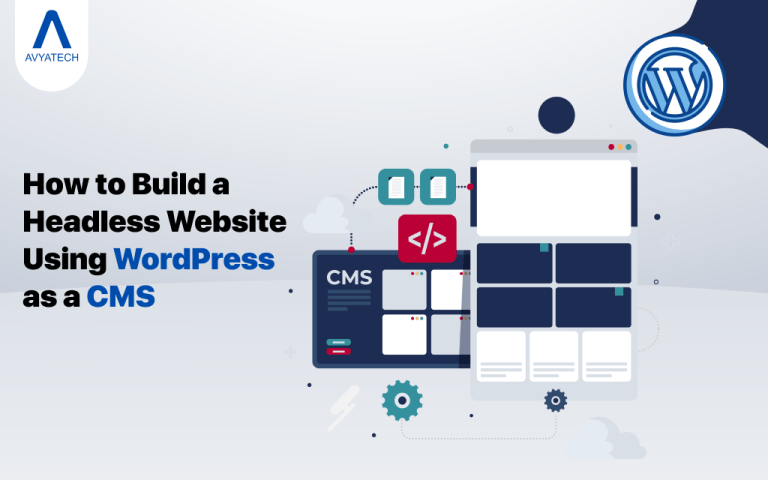
Headless breaks those couplings. WordPress becomes a structured content repository that you can access via its built-in REST API (/wp-json/wp/v2/) or through WPGraphQL.
Any HTTP client, like Next.js, a mobile app, or a voice interface, can be a valid consumer. The editorial process in /wp-admin stays the same — a theme is no longer needed to make HTML.
This guide is for Next.js with the App Router (Next.js 13+). The App Router and the Pages Router don’t work well together.
The App Router APIs are generateStaticParams, generateMetadata, and revalidate. Pages Router APIs include getStaticProps, getStaticPaths, and getServerSideProps. Don’t mix them.
GraphQL vs REST API
You don’t need any plugins to use REST. It can do CRUD on posts, pages, media, custom post types, and taxonomies. Major plugins like ACF, Yoast, and Rank Math automatically expand the schema.
GET /wp-json/wp/v2/posts                        # all published posts
GET /wp-json/wp/v2/pages?slug=about             # single page by slug
GET /wp-json/wp/v2/posts?_embed                 # posts + embedded media and author
WPGraphQL adds a /graphql endpoint that lets you choose exactly which fields you want, so you don’t get too much data or have to make an extra trip for related entities.
query GetPost($uri: String!) {
nodeByUri(uri: $uri) {
... on Post {
title
content
author { node { name avatar { url } } }
featuredImage { node { sourceUrl altText } }
}
}
}
The current WPGraphQL v1.x pattern is nodeByUri. postBy(slug:) was removed in v1.0 and should not be used in new projects.
Note: Use REST for most projects. WPGraphQL is a good choice when your content model has complicated relationships or when the size of the payload is a real problem.
Setting up WordPress
Installation:
To install, download the WP core, create a WP config file with the following information:
dbname=headless_wp, dbuser=root, and dbpass=secret.
Then run:
````bash
wp core install \
--url=localhost:8080 \
--title="Headless CMS" \
--admin_user=admin \
[email protected]
````
Set up a simple blank theme. In a headless setup, the theme doesn’t change anything visually; its only job is to register custom post types and keep functions.php small.
CORS
Not init, but hook into rest_api_init. Using init adds headers to every request made to WordPress. You only want headers that apply to the REST API.
// functions.php
add_action('rest_api_init', function () {
remove_filter('rest_pre_serve_request', 'rest_send_cors_headers');
add_filter('rest_pre_serve_request', function ($value) {
$allowed = ['http://localhost:3000', 'https://your-frontend.com'];
$origin  = $_SERVER['HTTP_ORIGIN'] ?? '';
if (in_array($origin, $allowed, true)) {
header('Access-Control-Allow-Origin: ' . $origin);
header('Access-Control-Allow-Methods: GET, POST, OPTIONS');
header('Access-Control-Allow-Headers: Authorization, Content-Type');
}
return $value;
});
}, 15);
The Content Model:
Before you write any code for the front end, you need to define Custom Post Types. Changing the content model breaks API users.
register_post_type('case_study', [
'label'        => 'Case Studies',
'public'       => true,
'show_in_rest' => true, // required for REST API access
'supports'     => ['title', 'editor', 'thumbnail', 'custom-fields'],
]);
Field groups, not individual fields, control REST exposure. You also need ACF PRO or the ACF-to-REST-API plugin.
acf_add_local_field_group([
'key'          => 'group_case_study',
'title'        => 'Case Study Fields',
'show_in_rest' => true,   // ← correct location: field GROUP, not individual field
'fields'       => [[
'key'   => 'field_client',
'label' => 'Client',
'name'  => 'client',
'type'  => 'text',
// no show_in_rest here
]],
'location' => [[[
'param' => 'post_type', 'operator' => '==', 'value' => 'case_study',
]]],
]);
You need ACF PRO 6.1 or higher for this. If you’re using an older version, you can use the acf-to-rest-api plugin to automatically show field values, or you can register fields by hand with register_rest_field().
Authentication:
Application Passwords (a core feature since 5.6) handle authentication between servers. Needs HTTPS because sending credentials over plain HTTP makes them visible in the request.
curl -X POST https://cms.example.com/wp-json/wp/v2/posts \
-H "Authorization: Basic $(echo -n 'admin:xxxx xxxx xxxx xxxx xxxx xxxx' | base64)" \
-H "Content-Type: application/json" \
-d '{"title": "Draft", "status": "draft"}'
Use JWT tokens in server-side API routes for frontend-authenticated flows (like gated content and form submissions). Never give the client access to credentials.
Frontend: Next.js App Router
Important: This entire frontend section uses the Next.js App Router only.
Do not mix in any Pages Router APIs. If you find these in old tutorials or Stack Overflow answers, here is what to use instead:
| Pages Router | App Router replacement |
|---|---|
| getStaticProps | fetch() inside a Server Component |
| getStaticPaths | generateStaticParams() |
| getServerSideProps | Server Component + export const dynamic = “force-dynamic” |
| getInitialProps | Not supported — do not use at all |
Mixing these two systems in the same project will cause silent bugs and broken builds. If you see getStaticProps or getStaticPaths anywhere in your App Router project, replace them immediately.
Environment Variables
# .env.local
WP_API_URL=https://staging-cms.example.com
NEXT_PUBLIC_WP_API_URL=https://staging-cms.example.com
# .env.production
WP_API_URL=https://cms.example.com
NEXT_PUBLIC_WP_API_URL=https://cms.example.com
Why do both variables hold the same URL value?
WP_API_URL
- Server-only. Used inside Server Components and API routes.
- Never sent to the browser under any circumstances.
- Use this one everywhere you can.
NEXT_PUBLIC_WP_API_URL
- Bundled into the client-side JavaScript at build time.
- Only needed when a ‘use client’ component (like ApolloProvider) needs the API URL in the browser at runtime.
- Visible to anyone who opens the browser Network tab or reads the JS bundle.
They hold the same value in simple setups, but keeping them as two separate variables from the start matters because in staging or more complex setups, they will differ. For example:
| WP_API_URL | http://10.0.0.5 Internal server address | The browser cannot reach this |
| NEXT_PUBLIC_WP_API_URL | https://staging-cms.example.com | The browser can reach this |
If you only had one variable, you would have to do a painful refactor the moment your WordPress backend moves behind a private network.
Note: Never put Application Passwords, JWT secrets, or any credentials inside a NEXT_PUBLIC_ variable. They are fully exposed to every user visiting your site.
REST in a Server Component
// app/blog/page.tsx
export default async function BlogPage() {
const res = await fetch(
`${process.env.WP_API_URL}/wp-json/wp/v2/posts?per_page=10&_fields=id,slug,title,excerpt`,
{ next: { revalidate: 3600 } }
);
const posts = await res.json();
return (
<>
{posts.map((post) => (
<article key={post.id}>
{/* post.title.rendered is sanitized by WordPress core, but never passes
arbitrary user-supplied strings here — dangerouslySetInnerHTML
bypasses React's XSS protection entirely */}
 <h2 dangerouslySetInnerHTML={{ __html: post.title.rendered }} />
</article>
))}
</>
);
}
GraphQL inside a Server Component
For Server Components, just use fetch(), there’s no Apollo overhead or client bundle cost.
```tsx
// app/posts/[slug]/page.tsx
import { notFound } from 'next/navigation';
// getPost is defined above the component that uses it, in the same file.
async function getPost(slug: string) {
const res = await fetch(`${process.env.WP_API_URL}/graphql`, {
method: 'POST',
headers: { 'Content-Type': 'application/json' },
body: JSON.stringify({
query: `query GetPost($uri: String!) {
nodeByUri(uri: $uri) {
... on Post {
title
content
featuredImage { node { sourceUrl altText } }
}
}
}`,
      // ⚠️  The URI here must exactly match your WordPress permalink
// structure (Settings → Permalinks in your WordPress dashboard).
//
// For the default "Post name" structure, it looks like /posts/{slug}/
// but do not assume this — verify it yourself by:
//   1. Fetching any post from the REST API
//   2. Looking at the `link` field in the response
//   3. Using that exact pattern here
//
// A wrong URI does not throw an error or return a 404.
// nodeByUri silently returns null, which can waste hours of debugging.
variables: { uri: `/posts/${slug}/` },
}),
next: { revalidate: 3600 },
});
const { data } = await res.json();
return data.nodeByUri;
}
export default async function PostPage({ params }: { params: Promise<{ slug: string }> }) {
const { slug } = await params;  // Next.js 15+ — params is a Promise, must be awaited
const post = await getPost(slug);
if (!post) notFound();  // getPost returns null when nodeByUri finds nothing
// post.content is the rendered HTML from WordPress — already sanitized by wp_kses_post()
return <article dangerouslySetInnerHTML={{ __html: post.content }} />;
}
```
Server Components vs Client Components: which Apollo setup do you need
For Server Components, use plain fetch() as shown above. No Apollo package is needed; there is no client bundle cost, and Next.js handles caching.
Only reach for Apollo Client when you need to use `useQuery` or `useMutation` inside a Client Component (e.g., for user-specific or real-time data).
In that case, you must:
- Install the packages: npm install @apollo/client graphql
- Create an ApolloClient instance
- Wrap your root layout with ApolloProvider
- UseQuery will throw at runtime if it is called in a server component.
```tsx
// app/providers.tsx
'use client'; // Required — ApolloProvider is a Client Component
import { ApolloProvider, ApolloClient, InMemoryCache } from '@apollo/client';
const client = new ApolloClient({
uri: `${process.env.NEXT_PUBLIC_WP_API_URL}/graphql`, // NEXT_PUBLIC_ required: this runs in the browser
cache: new InMemoryCache(),
});
export function Providers({ children }: { children: React.ReactNode }) {
return <ApolloProvider client={client}>{children}</ApolloProvider>;
}
```
```tsx
// app/layout.tsx
import { Providers } from './providers';
export default function RootLayout({ children }: { children: React.ReactNode }) {
return (
<html lang="en">
<body>
<Providers>{children}</Providers>  {/* wraps the entire tree */}
</body>
</html>
);
}
```
Rendering Plan
Plan Configuring the App Router Use Case
Static (SSG) When no dynamic APIs are used, there are no cookies(), headers(), searchParams, or uncached fetch. Marketing, blogs, docs
ISR export const revalidate = N Big sites that get updates often
SSR export const dynamic = “force-dynamic”; Content that is tailored to you or happens in real time
A route in the App Router is only fully static if none of its Server Components call dynamic functions or choose not to cache.
If you use `fetch()` with `{ cache: 'no-store' }` or `{ next: { revalidate: 0 } }` anywhere in the component tree, the whole route will be dynamic, even if `export const dynamic = ‘force-dynamic’ it is not set.
Dynamic Routes
Dynamic routes use generateStaticParams instead of getStaticPaths. The default value for dynamicParams is true, which means that paths that aren’t generated at build time can be rendered on demand and cached. This is the same as the fallback, ‘blocking,’ in the Pages Router.
// app/posts/[slug]/page.tsx
import { notFound } from 'next/navigation';
export async function generateStaticParams() {
const posts = await fetch(
`${process.env.WP_API_URL}/wp-json/wp/v2/posts?per_page=100&_fields=slug`
).then((r) => r.json());
return posts.map((p: { slug: string }) => ({ slug: p.slug }));
}
export const dynamicParams = true;
export const revalidate = 60;
export default async function PostPage({ params }: { params: Promise<{ slug: string }> }) {
const { slug } = await params; // Next.js 15+ — params is a Promise, must be awaited
const res = await fetch(
`${process.env.WP_API_URL}/wp-json/wp/v2/posts?slug=${slug}`
);
const posts = await res.json();
if (!posts.length) notFound();
  // WordPress sanitizes content.rendered server-side via wp_kses_post().
// Safe here, but do not use dangerouslySetInnerHTML with any value
// that hasn't gone through server-side sanitization first.
return <article dangerouslySetInnerHTML={{ __html: posts[0].content.rendered }} />;
}
Webhooks for On-Demand Revalidation
The save_post hook runs several times for one editorial action: once for the revision, once for the Post, and sometimes again for an autosave. Before making external requests, make sure to protect against all three.
Note: REVALIDATION_SECRET must be defined before this code will work. Add the following line to your wp-config.php, using a long random string that matches the REVALIDATION_SECRET environment variable set on your frontend:
define('REVALIDATION_SECRET', 'your-long-random-secret-here');

// functions.php
add_action('save_post', function ($post_id) {
if (defined('DOING_AUTOSAVE') && DOING_AUTOSAVE) return;
if (wp_is_post_revision($post_id)) return;
if (get_post_status($post_id) !== 'publish') return;
$response = wp_remote_post('https://frontend.example.com/api/revalidate', [
'body'    => json_encode([
'slug'   => get_post_field('post_name', $post_id),
'secret' => REVALIDATION_SECRET,
]),
'headers' => ['Content-Type' => 'application/json'],
'timeout' => 5,
]);
// Log failures so they aren't silently lost.
// For high-traffic or critical sites, replace this with a proper
// queue (e.g., Action Scheduler) so failed pings can be retried.
if (is_wp_error($response)) {
error_log(
'[Revalidation] wp_remote_post failed for slug "'
. get_post_field('post_name', $post_id) . '": '
. $response->get_error_message()
);
}
});
// app/api/revalidate/route.ts
import { revalidatePath } from 'next/cache';
import { NextRequest, NextResponse } from 'next/server';
export async function POST(req: NextRequest) {
const body = await req.json();
if (body.secret !== process.env.REVALIDATION_SECRET) {
return NextResponse.json({ message: 'Invalid token' }, { status: 401 });
}
revalidatePath(`/posts/${body.slug}`);
return NextResponse.json({ revalidated: true });
}
SEO
Important: The PostPage component in this section replaces the one from the Dynamic Routes section. Do not keep both. Your final app/posts/[slug]/page.tsx should use the version at the end of this section. The complete file contains these three exports in this order:
- generateStaticParams — from the Dynamic Routes section (keep as-is)
- generateMetadata — from this section
- PostPage (default export) — from this section (replaces the Dynamic Routes version)
Before writing generateMetadata or the page component, extract the post fetch into a shared helper file. Both functions require the same post data, which avoids duplicating the fetch logic in two places.
```ts
// lib/getPost.ts
export async function getPostBySlug(slug: string) {
const res = await fetch(
`${process.env.WP_API_URL}/wp-json/wp/v2/posts?slug=${slug}&_embed`
);
const posts = await res.json();
return posts[0] ?? null;  // returns null if post doesn't exist
}
```
Note: Next.js automatically deduplicates identical fetch() calls within the same render pass. Calling getPostBySlug in both generateMetadata and the page component does not result in two network requests — only one is made.
Yoast SEO and Rank Math expose their metadata via REST. Fetch per route and connect to generateMetadata:
```ts
// app/posts/[slug]/page.tsx
import { notFound } from 'next/navigation';
import { getPostBySlug } from '@/lib/getPost';
export async function generateMetadata({ params }: { params: Promise<{ slug: string }> }) {
const { slug } = await params; // Next.js 15+ — params is a Promise, must be awaited
const post = await getPostBySlug(slug);  // uses shared helper
if (!post) return {};                    // return empty metadata if post not found
const seo = post.yoast_head_json;
return {
title: seo.title,
description: seo.description,
alternates: { canonical: seo.canonical },
openGraph: {
title: seo.og_title ?? seo.title,
description: seo.og_description ?? seo.description,
images: seo.og_image?.map((img: { url: string }) => ({ url: img.url })) ?? [],
},
};
}
```
Add JSON-LD inside the page component for better results. The JSON-LD script and the page content live together in PostPage, not inside generateMetadata, because generateMetadata only returns metadata objects; it does not render HTML.
tsx
export default async function PostPage({ params }: { params: Promise<{ slug: string }> }) {
const { slug } = await params; // Next.js 15+ — params is a Promise, must be awaited
const post = await getPostBySlug(slug);  // same helper, no extra network request
if (!post) notFound();
return (
<>
<script
type="application/ld+json"
dangerouslySetInnerHTML={{
__html: JSON.stringify({
'@context': 'https://schema.org',
'@type': 'Article',
headline: post.title.rendered,
datePublished: post.date,
dateModified: post.modified,
author: { '@type': 'Person', name: post._embedded?.author?.[0]?.name },
image: post.yoast_head_json.og_image?.[0]?.url,
}),
}}
/>
{/* WordPress sanitizes content.rendered server-side via wp_kses_post() */}
<article dangerouslySetInnerHTML={{ __html: post.content.rendered }} />
</>
);
}
Prevent indexing of the WordPress backend. This only applies to the backend host, not the frontend domain.
# robots.txt — backend host only
User-agent: *
Disallow: /wp-admin/
Disallow: /wp-json/
Disallow: /wp-login.php
Warning: robots.txt is not a security measure — it’s just a suggestion.
Googlebot and other compliant crawlers will follow it, but it doesn’t stop scripts, bots, or anything else that ignores the rule from reaching the /wp-json/ endpoints. To really limit API access, put the WordPress backend behind a firewall or private network that only your frontend server can reach, or use IP allowlisting at the server or CDN level. Never use robots.txt to control access.
When Not to Go Headless
- Projects with a lot of plugins. You need to rebuild WooCommerce checkout, Gravity Forms, and Elementor layouts as frontend components. The benefits of moving often don’t outweigh the costs.
- Websites that are small or not updated often. A regular WordPress installation with WP Rocket or LiteSpeed Cache works just as well, but you don’t have to keep up with two deployment pipelines.
- No ability to do frontend engineering. To use Headless, you need to know modern JS, APIs, CI/CD, and CDN configuration. Without it, the project’s complexity works against it.
- Big groups of editors. If you don’t use Next.js Draft Mode with WordPress preview tokens, editors lose the WYSIWYG preview. This is fixable, but it costs money.
“We want to use React” is not a good enough reason to go headless. Use this architecture only when it solves a real problem — like delivering content across multiple channels, scaling performance, or aligning team skills.